
Getting Started with Arrays in JavaScript
This article will give more depth about JavaScript Arrays from scratch.
Contents we are going to cover:
- Arrays introduction
- Creation of Arrays
- Basic Array methods such as push, pop, shift, unshift and splice
- For in, for of, and forEach loops
- Map, filter and reduce
- Array Structuring and Array De-structuring
- Rest and Spread Operators
What is an Array? Why do we need it? Why not continue with variables instead of arrays?
In simple words, Arrays are used to store more than one property of the variable.
To understand this, let’s take the example of Chess pieces.
If you want to store every property/characteristic of each chess piece using variables, then it will take more variables.
More number of variable to describe the characteristics of just one piece will be messy, consume more space, and code debugging will be harder.
Here, comes the concept of Arrays. Arrays can able to reduce the above problems by their own advantages.
Arrays can store more than one value for a single variable.
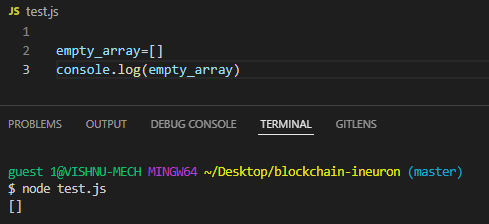
Array syntax
empty_array=[]
array1 = [value1,value2,value3]
By using the above syntaxes, we can able to create an array.
Basic array methods
Push
Push is the array method that is used to push/insert the element at the nth/last place of the array.
The input argument would be the value for which we want to append the current array.
The push method returns the length of an array.
array_of_numbers=[1,2,3,4,5]
array_of_numbers_after_push = array_of_numbers.push(10)
console.log(array_of_numbers)
console.log(array_of_numbers_after_push)
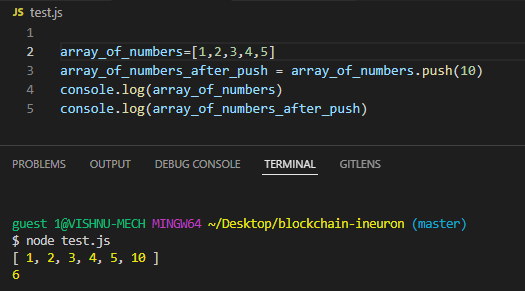
Here, array_of_numbers(line no:4) denotes array change and array_of_numbers_after_push is the output of the push method’s return value ie. length of the array
POP
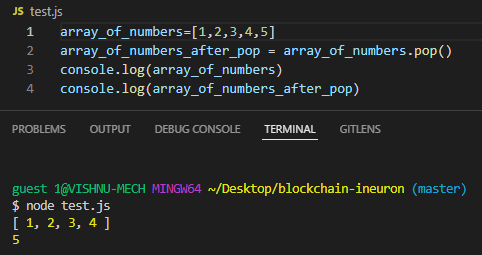
The pop method is used to remove the element which is located at the nth/last place of an array.
In pop, the input argument would be nil and it returns the element which was removed by pop.
array_of_numbers=[1,2,3,4,5]
array_of_numbers_after_pop = array_of_numbers.pop()
console.log(array_of_numbers)
console.log(array_of_numbers_after_pop)
Shift
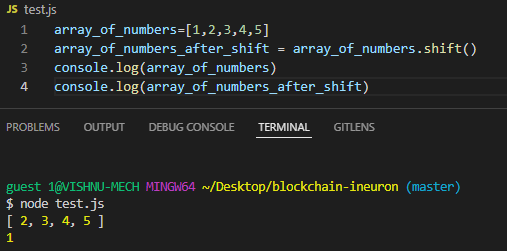
The shift method will shift all the elements of an array to left. This results in the removal of the first element of an array.
Shift methods return the elements which were removed by shifting.
array_of_numbers=[1,2,3,4,5]
array_of_numbers_after_shift = array_of_numbers.shift()
console.log(array_of_numbers)
console.log(array_of_numbers_after_shift)
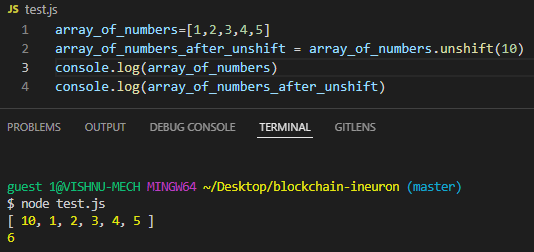
Unshift
Unshift will shift the elements from left to right. This results in the given number will be placed in the first position.
Unshift returns the length of the arrays.
array_of_numbers=[1,2,3,4,5]
array_of_numbers_after_unshift = array_of_numbers.unshift(10)
console.log(array_of_numbers)
console.log(array_of_numbers_after_unshift)
Splice
The splice method will splice/cut the array respective to the given arguments.
The inputs would be the start of the index and then a number of values(including the start of index value) to be removed and then its replacement values.
The splice method returns the elements which were removed from the array.
Let's see this with a simple example.
let array_of_numbers=[1,2,3,4,5,6,7,8,9,10]
let array_of_numbers_after_splice=array_of_numbers.splice(4,5)
console.log(array_of_numbers)
console.log(array_of_numbers_after_splice)
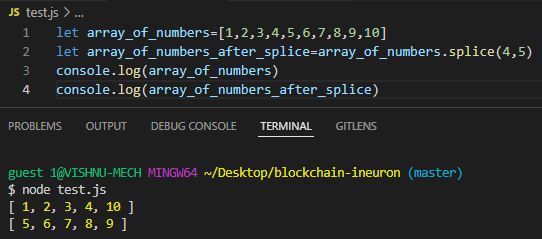
Hope you understand the removal of elements using the splice method.
We can also replace elements with new value in place of elements which was removed earlier by the splice method.
let array_of_numbers=[1,2,3,4,5,6,7,8,9,10]
let array_of_numbers_after_splice=array_of_numbers.splice(4,5,11,12)
console.log(array_of_numbers)
console.log(array_of_numbers_after_splice)
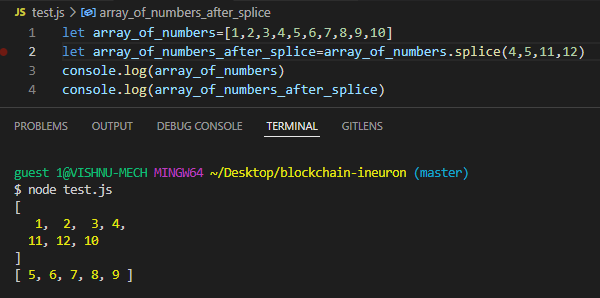
Here, we inputted replacement values as 11 and 12, which were replaced in the output.
Loops
For in loop
For in loop mainly works with index numbers of the given array.
array_of_numbers=[1,2,3,4,5]
for (i in array_of_numbers){console.log(array_of_numbers[i])
}
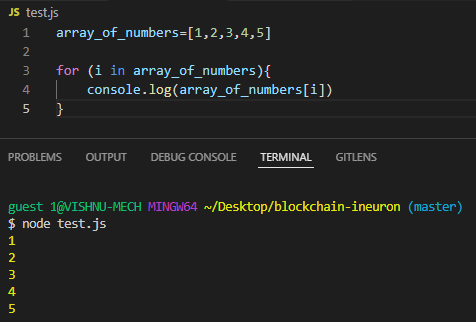
It can’t directly work with values. For this use-case, there is another loop called “for of” loop.
Lets see for of loop.
For of loop
For of loop mainly works with values of array unlike for in loop which works mainly with an index of the array.
array_of_numbers=[1,2,3,4,5]
for (values of array_of_numbers){console.log(values)
}
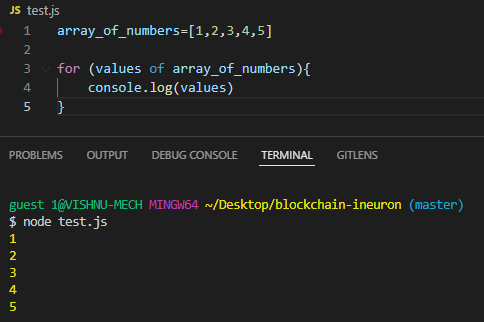
Hope you understood the difference between for-in and for-of loops.
We mostly work with values not with an index of values, so for of loop has more impact than for in loop.
We had seen for-in and for-of loops, these loops are termed as external loops since it is an external feature to arrays, and the array doesn't own these loops.
There is one loop named forEach loop, which is owned by the array and it is termed as internal loop.
Let's see more about this.
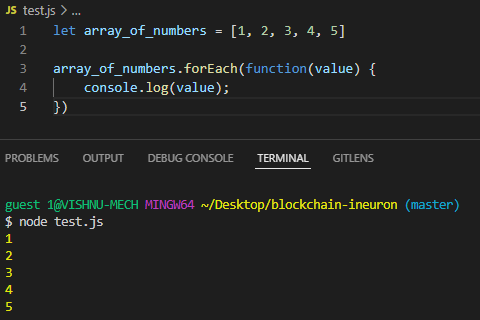
Foreach loop
Code
Without arrow function
let array_of_numbers = [1, 2, 3, 4, 5]
array_of_numbers.forEach(function(value) {console.log(value);
})
With arrow function
let array_of_numbers = [1, 2, 3, 4, 5]
array_of_numbers.forEach(value => console.log(value))
Map, filter and reduce
Let's see these concepts with a simple example.
Suppose you need to print even numbers between 1 to 100 one by one using for loop, which operator you will use?..
Simple, it's a modulus operator, right?
But is it ok to pass every value to the for loop?.. won't it increase time complexity?
Can we do the modulus operator first and filter the even numbers and then use for loop to print those numbers?
Yeah. We can do that.
There comes the filter method.
Let's see the code, you will understand.
let array_of_numbers = [1, 2, 3, 4, 5, 6]
array_of_numbers.filter(value => value % 2 === 0).
forEach(value => console.log(value))
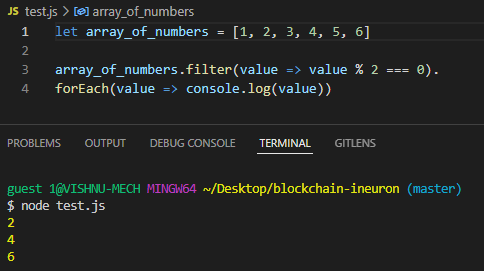
Here, before passing to the forEach loop, we filter even numbers and we used forEach loop only to list the element.
What if, if you want to use those filtered values to do further operations before passing to the forEach loop?
There comes, the map method.
Let's understand the map method by simple code.
let array_of_numbers = [1, 2, 3, 4, 5, 6]
array_of_numbers.filter(value => value % 2 === 0).
map(value => Math.sqrt(value)).
forEach(value => console.log(value))
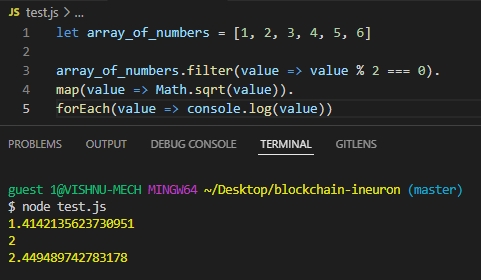
Here, first, we filtered even numbers using the filter method, then we found the square root of the filtered numbers using the map method and then print all the square roots using a forEach loop.
Hope you understood about filter and map.
Now, let's see about reduce method.
The name itself denotes, that it will reduce the numbers into one. Let's see with the simple code.
let array_of_numbers = [1, 2, 3, 4, 5, 6]
sqrt = array_of_numbers.filter(value => value % 2 === 0).
map(value => Math.sqrt(value)).
reduce((sum, value) => sum + value)
console.log(sqrt)
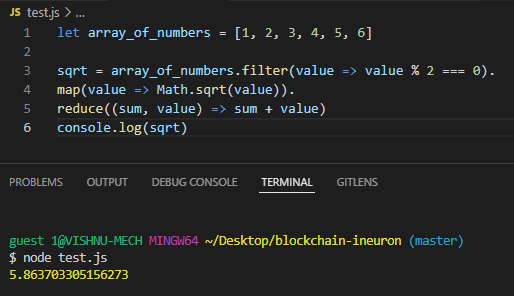
Here, we have added the square roots of all values which we obtained on the map method and assigned them to the sqrt variable, When we tried to print the variable, it prints the result.
In this way, we can integrate map, filter, and reduce methods to solve our use case in arrays.
Array Structuring and Array De-structuring
Let's see Array Structuring first.
When we construct an array by using the variables, then it is known as array structuring.
Array structuring is one of the ways to create an array.
Let's see this by simple code.
let element1 = 2
let element2 = 4
let element3 = 6
let element4 = 8
let element5 = 10
let array = [element1, element2, element3, element4, element5]
console.log(array)
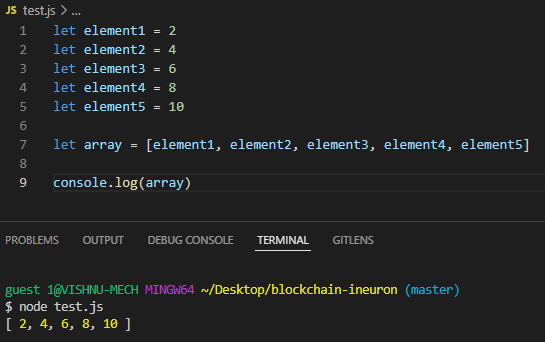
Hope you understood about Array structuring, lets's see now about Array De-structuring.
Array De-structuring is opposite to Array Structuring.
Let's understand this with the simple code.
let array = [2, 4, 6, 8, 10]
let [element1, element2, element3, element4, element5] = array
console.log(element1)
console.log(element2)
console.log(element3)
console.log(element4)
console.log(element5)
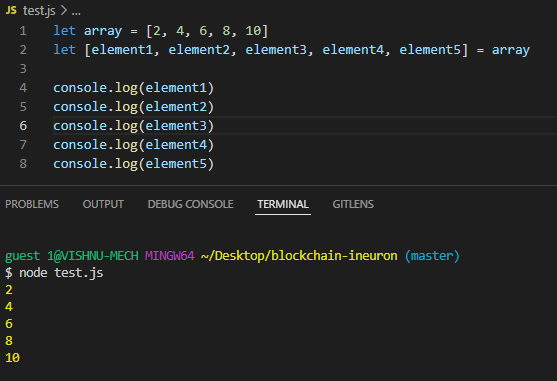
This leads to two important concepts which are used often in JavaScript ie Rest and Spread Operators.
Rest Operator
When we don't know how many arguments we will pass to the function, we will use … notation.
Let's understand this with a simple example.
let result = function(element1, element2, element3, ...remaining_elements) {
    sum = element1 + element2 + element3
    for (j of remaining_elements) {
        sum = sum + j
}
return sum
}
console.log(result(10, 20, 30, 40, 50))
In this example, we are passing 5 arguments/attributes to 4 functional parameters are 4, but we have … notation in the 4th parameter,
so, the first 3 arguments will store in 3 parameters and the remaining “n” number of parameters were stored in that 4th parameter along with … notation.
Here, we used … notation in functional parameters, so it is called a rest operator.
If we use … notation in argument/ attributes then it is called a spread parameter.
Let's see how to use … notation at the argument side by the simple code below.
let result = function(element1, element2, element3, element4, element5) {sum = element1 + element2 + element3 + element4 + element5
return sum
}
let [element1, ...remaining_elements] = [10, 20, 30, 40, 50]
console.log(result(element1, ...remaining_elements))
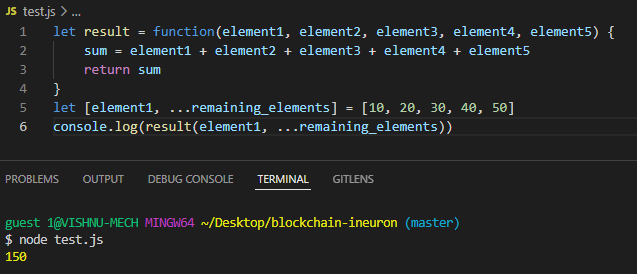
In rest operator, we are using … at parameters, so we can call any number of arguments and in the spread operator, we are using … at arguments, so we can pass any number of parameters.
Hope you understood the difference between rest and spread operators.
That's it.
Thanks for your patience reads. Stay tuned to my upcoming articles.
You can refer code here

Written by
Sri Vishnuvardhan
Building production-grade geospatial platforms that combine GIS, remote sensing, cloud infrastructure, AI, and platform engineering to transform spatial data into scalable, real-world intelligence.
Enjoyed this article?
Subscribe to get notified when new articles on DevOps, Cloud, and platform engineering are published.
You'll receive a welcome email with a confirmation link. No spam — unsubscribe anytime.
Have a project in mind?
I work on cloud-native platforms, DevOps automation, and geospatial intelligence systems. Let's talk.